Rugged IP67 & IP68 USB-C connectors from GT Contact

Waterproof IP-rated USB-C connectors

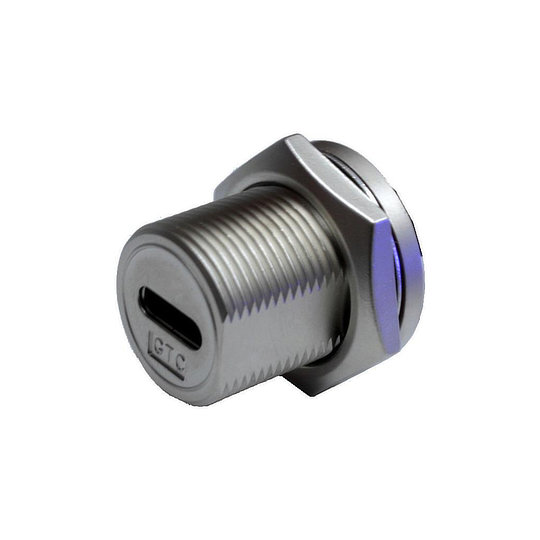
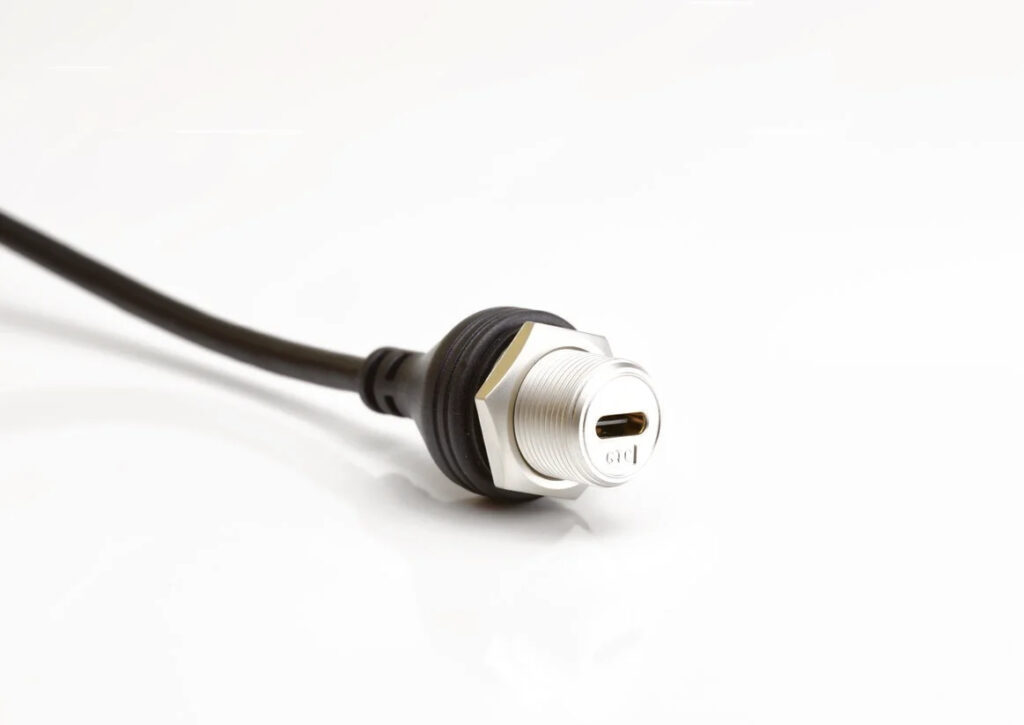
New from Live Electronics is the latest range of rugged waterproof USB-C connectors.  Manufactured by GT Contact, the new connectors meet IP67 and IP68 specifications, are available with tough thermoplastic (IP67) or metal (IP68) housings, and in a choice of panel mount, cable mount or cable to cable (in-line) versions.   

The new USB-C connectors have been designed for use in a wide range of demanding industrial and process applications, from oil and gas, marine and transport, to power generation, industrial controls and robotics or automation systems. 

The new connectors incorporate screw or bayonet twist and lock couplings, for 16mm panel cut-outs.  Metal versions feature high quality nickel-plated zinc-alloy bodies, with gold-plated stainless-steel connector housings and gold-plated copper-alloy contacts for optimum signal integrity and long-term reliability. 

Panel mount versions can be supplied as DIP pin or be pre-wired with USB-C plug or socket terminations, while rear potting ensures that system electronics are fully protected, even when the USB-C connector is unmated or the optional sealing cap is removed.  Data transfer speeds are typically up to 10Gbps and operating temperatures are from -40°C to +85°C. 

Luke Hartley, Managing Director of Live Electronics, explains that,

“Although we already have an extensive range of rugged USB connectors, many of our OEM customers require IP67 and IP68 rated USB-C devices for the latest generation of electronic systems that are designed for use in particularly demanding applications.  With our long-standing relationships with leading electronic component manufacturers around the world we’ve been able to source what we believe is an outstanding range of tough USB-C connectors, which we can supply in a wide choice of variants to meet almost all customer needs.”
Ultimate Buying Guide for USB Connectors & Cables

In a world where most homes have a multitude of electrical devices and technology is ever-changing, it is no surprise that many of us complain that there are too many cables and wires to keep a track of.

The image of a drawer, box or cupboard filled with random electric cables is all too familiar to many of us. For many, the USB port has become a household name for electrical devices, but most people have no idea about the varieties of USB connectors and cables and the importance they bring.

In this buying guide, we hope to make sense of all the different USB connectors and cables on offer by explaining how they work, which to pick and what the difference between them all really is.

What is USB?

USB stands for “Universal Serial Bus” and was created as an industry standard for connectors and cables worldwide on electrical devices such as computers, phones, appliances, and other peripherals. Before the advent of USB, electrical manufacturers created their own power and connector cables tying consumers into purchasing their cables, chargers, and power adapters. Global adoption of USB technology meant that electrical device users could start to rely on a technology that was flexible and compatible across a wide variety of accessories and other devices.

The purpose of a USB cable is to connect to a USB port via a USB connector. The USB port is often found as part of the device and the USB cable is used to either power this device or connect/communicate with other external devices.

The universal nature of the USB port, connector and cable has meant that they have become increasingly common must-have items on modern electric devices such as printers, keyboards, cameras, video game controllers and mobile phones.

What is a USB connector?

A USB connector is the physical connecting point from a USB cable to a USB port. A USB connector allows for a stable and properly connected USB. One way it does this is by ensuring that only a specified type of USB cable can be connected to a specific USB port. Without the proper connector, there would be much higher cases of users attempting to connect the wrong cables into USB ports.

What are the different types of USB connectors and cables?

To understand the different varieties of USB cables and connectors it is important to make a distinction between “USB type” and “USB version”.

“USB type” refers to the physical nature of the connector and corresponding USB port. Differences across “types” can often be easily identified by the connectors at the end of the USB cable.

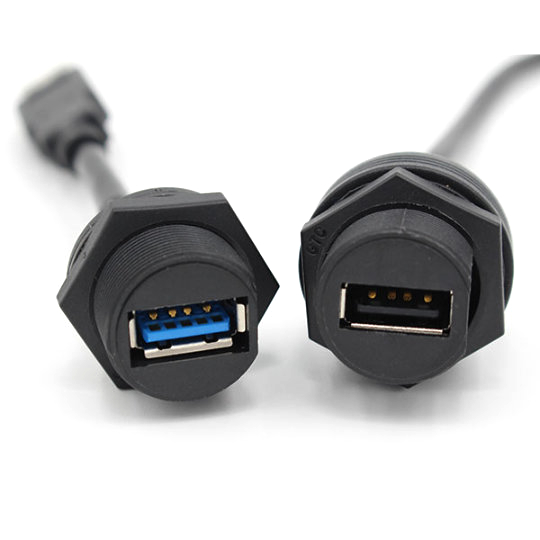
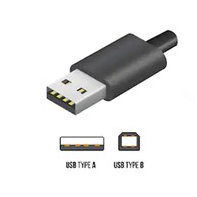
A USB Type-A connector is usually standard on most USB cables as it is designed to fit the most found port – the USB Type-A port. However, the type of USB cable will usually take the name of whichever connector is not USB Type-A found at the other end of the cable. This is where you start to notice a difference between Type-A, Type-B, Type-C, micro and mini connectors, and cables.

USB Type A Connector

What is USB Type-A?

  • The oldest in design and as such, the most common. USB Type-A is usually compatible from USB 1.0 upwards.
  • Most found on mobile devices, computers, laptops, and flash drives.
  • The connector is rectangular in design and can only be inserted into a USB-A port one way.
USB-A Connectors

What is USB Type-B?

  • Type-B connectors are usually used for the purpose of powering devices and as such you are more likely to find them on larger electrical items like printers or scanners.
  • The design of the Type-B connector is obvious as it takes more square shape with a wider aperture for the connectors.
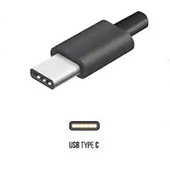
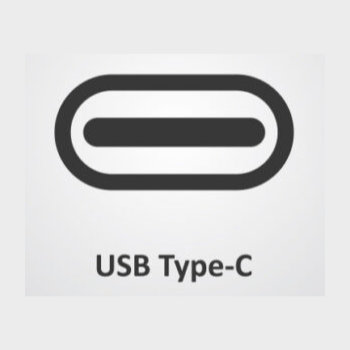
USB Type C Connector

What is USB Type-C?

  • USB Type-C cables are the latest on the marketplace and are notably smaller/flatter connectors.
  • The major difference in USB Type-C cables is their ability to carry video and data at a much higher and faster level. For example, the USB-C can support data transfer speeds of up to 10 Gbps. Type-C are increasingly more common on the very latest laptops, mobile devices and charging hubs.
  • Type-C is compatible from USB 1.1 to t USB 3.2
USB-C Connectors
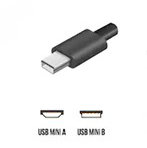
Mini USB Connector

What is Mini USB?

  • The clue is in the name! The Mini USB is a miniature connector, making it ideal for mobile/handheld devices that require smaller ports.
  • Mini USB is most found on digital cameras and camcorders.
  • Increasingly, the Mini USB has been phased out in favour of the newer Micro USB cable and port.
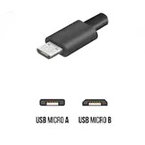
Micro USB Connector

What is Micro USB?

  • The Micro USB is an even smaller and slenderer version of the Mini USB and most found on modern smartphones, digital cameras and handheld devices like the Amazon Kindle or GPS SatNav systems.
  • The Micro USB is compatible for USB 2.0 and 3.0

What are the differences between USB versions?

One of the most asked questions is understanding the difference between USB 1.0, USB 2.0, USB 3.0, and USB 3.1. Most computer users never even notice the different version but knowing the difference is important when picking a USB cable if you want to use the cable for a specific purpose.

Power supply/charging

USB 2.0, 3.0 and 3.1 all support power supply and charging. The older USB 1.1 version does not.

Video

If you need a USB cable for supporting video data, you will need USB 3.0 or 3.1. Older 1.1 and 2.0 versions are not able to support video.

Fast data transfer

Picking the right version depends on how fast you want to transfer data. If you need to transfer high volumes of data, then you may want to opt for USB 3.0 or USB 3.1 which transfers at 5Gbps and 10Gpbs, respectively. If you only need to transfer smaller packets of data, then 2.0 may suit at 480 Mbps. USB 1.1 can still transfer data but only at a speed of 12Mbps.

Frequently Asked Questions

Does USB 3.0 connectors work with 2.0 ports?

Yes. USB 3.0 and USB 3.1 are backwards compatible. This means that they can be used on older ports. However, this will only operate at USB 2.0 speeds.

Is USB Type-C universal?

Whilst USB Type-C connectors and cables are backward compatible, it is important to understand that simply buying a newer type does not mean that you will get the results you expect. A common issue many consumers face is that they purchase a USB Type-C cable/connector with the view of using it to charge a smartphone but connect it to a USB Type-A port.

As previously mentioned above, USB Type-A ports were not specifically designed for powering many new smartphones. The best-case scenario is that you may find your new “fast charging” Type-C cable takes much longer to charge. The worst-case scenario is that using the wrong cable may damage your device.

In this case, a well-designed USB cable should reduce the risk of damage by preventing a device from drawing too much power from a Type-A port. However, there are numerous cheaper and poorly designed USB cables that do not have this prevention system that will attempt to draw too much power from the port to the connected device. This can cause damage to both the connected device and/or the device the port is contained within.

You should always check that the USB cable is compliant and compatible for the devices and ports you intend to connect it to.

How long can a USB cable be?

Expert guidance from the USB Implementers Forum suggests that cable length is based on transfer rate. The longer the cable, the slower the data transfer is likely to be as the distance it travels is longer. If the cable is too long, it may not even be able to deliver power either

The guidance states that a USB 3.1 cable (operating at about 5 Gbps) should be at the most, 2 meters. The USBIF states that a USB 3.1 cable (operating at about 10 Gbps) can reach up to about 1 meter. Slower USB cables (such as those that use USB 2.0) can be slightly longer up to 4m.

What is USB OTG?

USB OTG or “on-the-go” is a specification of USB that allows a device to obtain and transfer data without the need for a PC. USB OTG devices essentially turn the USB into the host. For example, most modern Android phones have USB OTG and allow for the smartphone to be connected to devices like printers or hard drives. To make this work however, you will need an OTG compliant cable and connector, so do check before making any expensive purchases.

Contact us today to find out more about the USB connectors we can offer Contact Us

GT Contact’s USB Type C

Introducing GT Contacts USB-C 3.1 connector range, the latest addition to their USB line up.

The USB-C range incorporates the ruggedness and superior build quality that is expected in all GT Contact products. Available in plastic or metal construction these connectors are sealed to IP67 and IP68 respectively. The rear potting of all panel mount connectors ensures your products are protected even when the connector is unmated.

The ruggedness of these connectors coupled with connection speeds of up to 10Gbps makes them perfect for applications where performance cannot be compromised regardless of the environment.

Find out more about the USB-C range here or contact us today.

Could USB Type-C be all you need?

Sometimes it’s good to have a look back at just how far technology has brought us as well as looking forward to the possibilities of tomorrow. I have just read a great article on RS Design Spark by Connector Geek on the USB Type-C connector and its advantages over older models. This has me thinking about possibilities for the USB Type-C especially within new projects we are working on with our customers, I hope you will also find this post interesting.

“The connector industry is very mature. People have been making connectors long before semiconductors came onto the scene, and connectors have been part of every major development in the electronics industry. Unlike the younger technologies, it is rare that anything truly groundbreaking happens in the world of connectors.”

To read the rest of the blog post click here.

For more information on our USB-C range please contact us here.